Yahoo releases its new Messenger app for Windows PC
 2 min. read
 Published on
Share this article




Read our disclosure page to find out how can you help Windows Report sustain the editorial team Read more
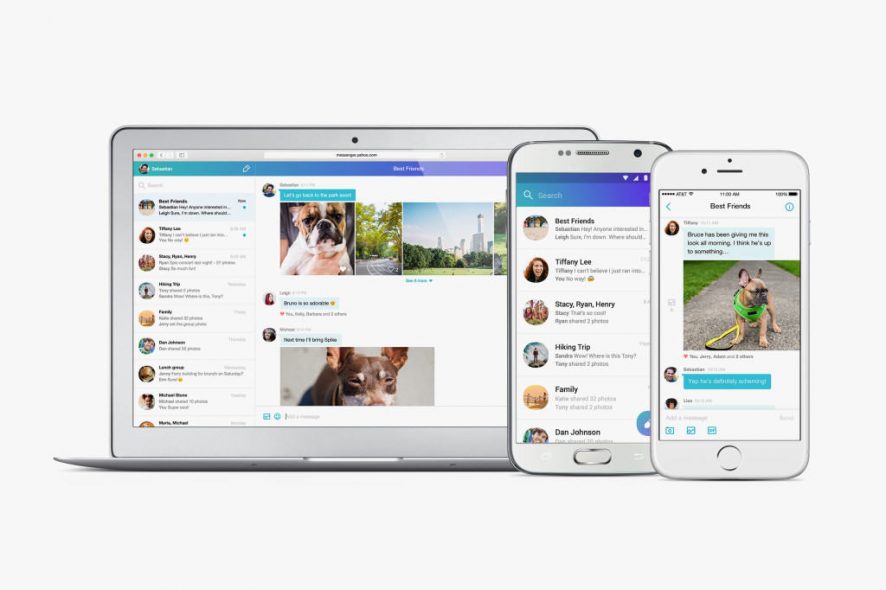
Ten years ago, Yahoo Messenger was one of the most used messaging applications for Windows PC. Unfortunately for Yahoo, once other platforms such as Hi5, Twitter and Facebook now compete for user attention, ultimately signaling a loss of users for the company. However, we remind you that a few weeks ago, the company announced that it would stop supporting its old messaging application because it is focusing on bringing a brand new Yahoo Messenger to its users.
Out of the blue, Yahoo announced the release of a new Yahoo Messenger for Windows PCs. A standout feature is the new “unsend” button, meaning that you will be able to remove a GIF, photo or a message you’ve sent via this application.
In addition, the application comes with desktop notifications, which means that you will be able to multitask at your computer without worrying about missing an important message.
The company is encouraging its users to complete the transition to the new Yahoo Messenger before August 5, 2016, as the older version of the application will not be supported anymore after that date.
New Yahoo! Messenger For Windows PC: Features
– Improved photo sharing: you will be able to share high-resolution photos at once without any problems and even swipe to view them in a photo carousel
– Unsend: a feature that will surely please a good amount of users who regretted sending a photo or messages to someone
– Likes: the users will be able to like a photo or message to let the sender know that they like what they see
– Animated GIFs from Tumblr: ability to use GIFs in this application
– Offline mode and low connectivity mode: Don’t worry about your internet connection issues and just send messages, photos to your friends. As soon as you connect to the internet, all your messages and photos will be automatically sent.
What are your thoughts about the new Yahoo! Messenger?
RELATED STORIES TO CHECK OUT: