Windows on Mobile is no longer relevant to Microsoft
 3 min. read
 Published on
Share this article




Read our disclosure page to find out how can you help Windows Report sustain the editorial team Read more
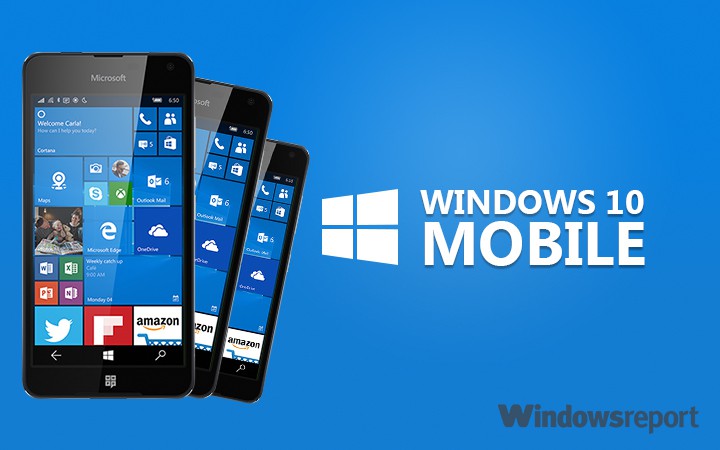
Microsoft has been in the mobile game longer than most, especially longer than Google and Apple. For many reasons, though, the company has fallen far behind. Due to the position Microsoft is in, it is difficult to believe it will ever rise from the rut its in.
We’ve long known that attempting to catch up with Apple and Google would have turned out be a difficult task after the launch of Windows Phone 7. The operating system flew through the gates with support from several OEMs, but what it brought to the table in terms of features were below average compared to what Android and iOS had to offer at the time.
Even after several updates — and a big one in Windows Phone 7.5 — the operating system still felt ancient and a lack of quality apps made the experience even worse, especially for those contemplating whether or not they should switch from Android or iOS.
As time went on, Microsoft came back strong with Windows Phone 8, and this operating system was a huge upgrade over Windows Phone 7.5. Nokia was onboard and with that came an influx of awesome, well-designed devices. Interestingly enough, the platform actually gained market share at a slow pace because there was a clear focus. It wasn’t perfect but it was effective in many ways.
Things began to go downhill after Microsoft acquired Nokia’s mobile division. At that point, it was easy to see the company no longer had that passion behind the launch of a new device as they did before. Slowly but surely, Microsoft spoke less about its mobile ambitions when it came to Windows Phone.
The plan for Windows 10 Mobile was laid out and we got to see several cool things. Continuum was one of them. By then, though, the market share the platform gathered quickly dissipated. Everything the software giant had worked for since Windows Phone 7 was quickly thrown under the bus.
The platform in its current state is nothing but a joke. No one cared about the first round of Windows 10 Mobile smartphones that were released in 2015. Unlike the Nokia-made devices, these, according to reviewers, felt cheap. Worst of all, the operating system was a mess, as if Microsoft released a beta product for mass market consumption.
Build 2016 came and went, yet nothing much was mentioned about Windows 10 Mobile. Microsoft spoke about Android and iOS more than it did its own mobile offering. Not mention, developers from the company’s garage project only release apps for Android and iOS.
What is this rant all about you wonder? We’re basically trying to say that Microsoft might very well be on the verge of killing Windows 10 Mobile. One does not simply treat their own platform as garbage while giving more support to the competition. For those who are die-hard, unwilling to let go, maybe it is time to do so.
There’s not much to lose seeing as many of the most important Windows 10 Mobile features can be found on competing platforms — they are just an app away.