What’s new in Microsoft’s Your Phone App
 4 min. read
 Published on
Share this article




Read our disclosure page to find out how can you help Windows Report sustain the editorial team Read more
Key notes
- Microsoft is introducing new features in your phone app that lets Windows users launch the most recently used apps on their Android phones.
- This new Your Phone feature relies on the existing remote Apps capability that allows owners of select Samsung Galaxy phones to access their mobile apps on their Windows PCs.
- The new feature is said to be a step towards Apple's handoff feature that lets users use one app and continue where they left on another device.
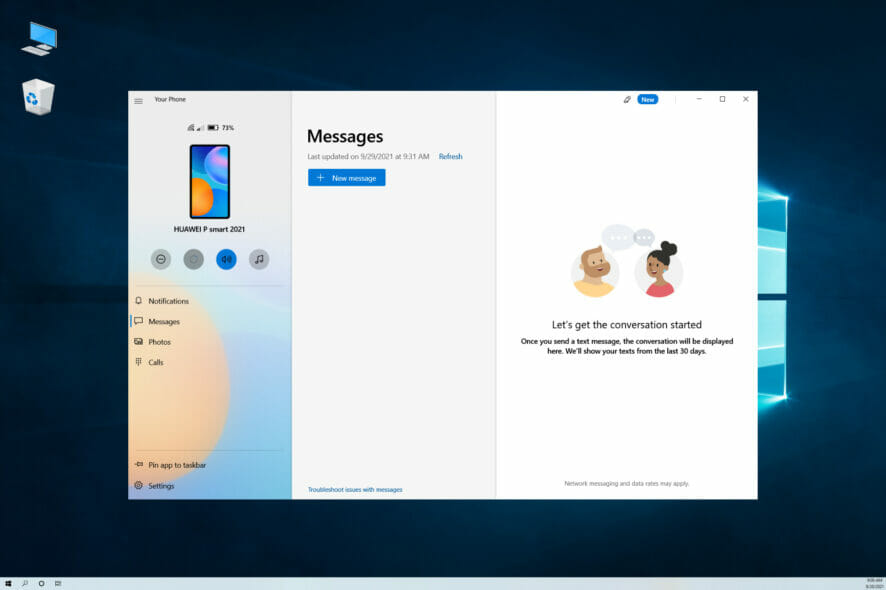
Microsoft is rolling out a new feature in its Your Phone app that lets Windows 11 users launch their most recently used applications on their Android devices.
The company is testing the new functionality, which doesn’t require any additional effort on the part of the user to set up, with Windows Insiders and it leverages the existing Apps capability already built into several select smartphones.
Your Phone allows users to mirror their Android phones directly to their PCs to respond to texts, notifications, and photos from their mobile devices. The app already lets users mirror multiple apps to a PC while they work on other tasks.
How it works
In Windows 11, the mouse cursor can be placed over the Your Phone icon in the notifications area of the taskbar to access the recent Apps feature.
The Android apps that users had most recently opened will also appear at the top of your Apps page inside Your Phone app. Clicking on an app will open it just as if it had been opened from the Apps feature within the Your Phone app.
With the new Recent Apps feature, your recently used Android apps will appear on the Your Apps page of the Your Phone app.
This change makes it easy to quickly access an app, making it possible for you to switch from your desktop to your mobile device
Microsoft plans to roll out this new Continuity feature to everyone over time and expects that everyone will have access within weeks.
Devices used
To take advantage of Microsoft’s new recent Apps feature, users must have a flagship Samsung Galaxy device that supports the exclusive link to Windows feature.
The new feature is currently only supported by select Samsung Galaxy devices that support the exclusive link to the Windows feature that can be accessed from the quick panel menu.
Link to Windows was developed by Microsoft and Samsung, and it allows users to sync their phone with their Windows 11 PC without using a USB cable.
Using the new Recent Apps feature, you can simply click on any of your recently used apps and it will open immediately within Your Phone.
If you don’t want to open an app, you can also just drag and drop files between your phone and PC by simply tapping and holding on to a file you want to transfer.
Apple’s handoff feature
Microsoft’s implementation is more sophisticated than Apple’s Handoff feature. It works with any app on all three platforms. Microsoft’s solution will open the native app that supports Handoff when it transitions from an iOS device to a Mac or vice versa.
This isn’t quite as handy as Apple’s solution since it doesn’t work with native iOS apps. You can only access apps on your Mac or Windows computer or through Chrome browsers on a Mac and Windows PC.
One nice thing about this new Continuity feature is that it works across multiple devices. If you pick up where you left off on one device, you can continue using that app on another device.
The big caveat here is that this new recent app feature only works with specific phones right now. Microsoft says support for more Android phones running will be added soon.
The Your Phone app will require an active internet connection and Bluetooth connection between your phone and PC to make this work.
The experience isn’t as seamless as Apple’s handoff feature where you could easily switch from one device to another without launching individual apps.
How do you feel about the recent apps on your phone app, will it be of help to you? Share your thoughts in the comment section.