
Bing Maps refines navigation controls

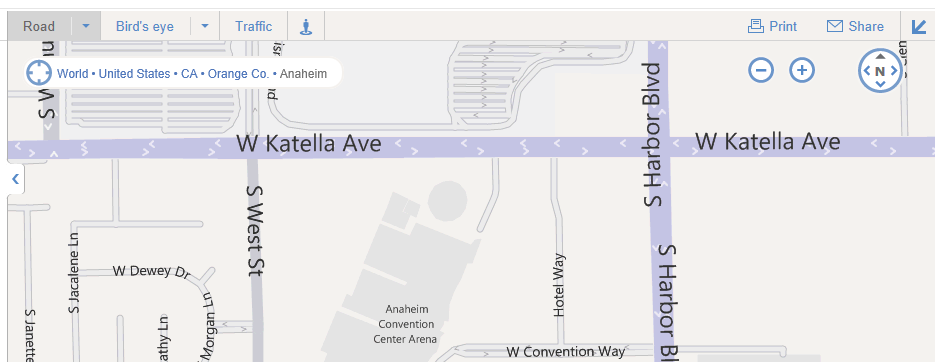
LiveSide reader Quikboy noticed that Bing Maps has received a bit of a facelift recently, and the menu for choosing between Road, Aerial, and Birds Eye views has changed:
bing maps nav

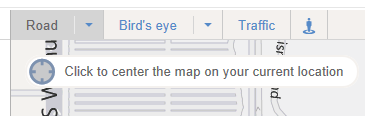
Included are new, bolder graphics for zoom and direction changes (at the top right), Road, Bird’s eye, Traffic and the StreetSide icons as top level menu items on the left, and a highlighted breadcrumb area with a “center on your current location” feature (changing from the location breadcrumb on mouseover):
bing maps nav 2

Unfortunately the Bing Maps blog seems to be having some issues at the moment, so no new blog post from them to highlight what we failed to notice – have you noticed any other new features/changes on Bing Maps?

(thanks for the tip, Quikboy!)

Comments

  • majg

    Perhaps, more touch friendly?

  • http://doctorwhofan98.wordpress.com/ doctorwhofan98

    I like the new look! Now, all we need if to have something like Google Streetview (I know there is but it only cover America.. it needs to cover the world!)…

  • Anonymous

    I thought this came out a while back, and then disappeared…

    • A340-600

      I think it was just being tested? I’ve been seeing this new Bing Maps design for a while now, mostly on IE9, and would disappeared when I removed my browsing history. I think it looked nice. Now I’m seeing it on Chrome, too.

  • Anonymous
    • http://macrosofter.wordpress.com/ quikboy

      It was probably still in testing. Yesterday was the first time I recalled seeing it.

  • http://macrosofter.wordpress.com/ quikboy

    Thanks for the mention! Seems like Metro is slowly coming about in Bing.

  • Pinaatti

    Well that normal bing maps is crap compared to the silverlight version at maps.bing.com/explore. Smoother and faster than google maps though.