• http://twitter.com/MasterDevwi William Devereux

    This sounds awesome. I’m so glad that Microsoft has come up with an elegant solution to multiple issues. I’d love to see it work with custom domains too, but I’m sure that feature is lower on the priority list.

  • http://www.facebook.com/profile.php?id=1346763016 cyborgs

    how about Skype? It is considered as MS account also? They should have @Skype.com email also. That’d be awesome.

    • http://doctorwhofan98.wordpress.com/ doctorwhofan98

      I’d love an @skype.com email address. Microsoft should really allow that.

  • Mario Albertico

    Brilliant…if they then allow you to send emails using an alias without that “on behalf of [insert "primary" alias here]” then that would be great–as that would kind of negate the purpose of having an alias (with outgoing email). But overall, happy to see that they took user feedback to heart and are coming up with something.

  • FremyCompany

    There’s still an issue with that: Windows Phone sends a mail using the mail address you used to log in, not the default address of your account, and I don’t see this changing that. On all my devices I use my new @outlook.com alias as primary mail address, including the website, but since I use my old email on Windows Phone it has some issues for people using sorting rules.

    • James

      When you send mail in Windows Phone from an app (example when Sharing), it asks you to choose an account though (including SMS/Facebook/etc.)? It doesn’t use your logged in email by default.

  • Maybe, maybe not

    I liked the old way, it feel more secure, in the way that I could make an alias and use it on a site that may not be trustworthy, if they somehow manage do get my MS password, they could not log in since they only had my alias and my my account primary email.

    • YeOldePharte

      Agreed !! I, in fact, WANT to have a username that is ‘private’ to help with the security of logins, since MS gives me little else.

      By using only aliases for actual sending/receiving of email, my account address was reserved for logins only, requiring any potential hackers to discover both my password AND my username (which, in my case, was a long, alpha-numeric, password-quality one) to gain access to my account. Now, the one bit of added security I had when aliases came out (i.e. a ‘hidden’ login username) is taken away, It’s bad enough that MS is still limiting passwords to 16 characters and has no 2FA, but THIS move….. What were they thinking ????

      MS seems to want to do things Yahoo’s backward way (same idea of extra email addresses being valid login usernames), instead of taking a page from Gmail’s vastly superior preventative security measures (long passwords, 2FA, etc.) !

      • http://www.facebook.com/bigmac.walker BigMac Walker

        Fastmail.fm (not free) has the feature MS is taking away (secret address for logging in only, and aliases not being able to be used to log in).

      • James

        Did you really just say Gmail’s “vastly superior preventive security measures”??? LOL
        Outlook.com’s security blows Gmail’s out of the water. Before switching to Outlook, my Gmail account constantly got compromised regardless of the long complex passwords and 2FA. Outlook.com’s security is much more enhanced on the backend which makes the experience to end-users much more user-friendly without all that added annoyance. For your information, in case you haven’t used Outlook.com, when there is suspicious of hacking, compromise, or misuse it actually DOES prompt you to verify yourself (either via captcha, SMS, etc.). Learn your facts before posting that non-sense.

        • YeOldePharte

          Struck a nerve, eh ? LOL Didn’t mean to. Okay, I may have exaggerated with the “vastly superior” part. ;-)

          Of course, in all this security discussion, different people will have different experiences. E.g. some say GM has loads of spam, while Hotmail has a better spam filter. In my case, I have never gotten a single spam in my GM accounts. Ever. Meanwhile each of my Hotmail/Live/Outlook accounts – including the ones with addresses that I never told anyone about – got spam within 24 hrs. of signing up. So, mileage may vary. :-)

          In any case, I’m glad to know that Outlook will notify users if there is suspicious activity (as Gmail does). Still, that’s not quite the same thing as 2FA. Remember, I’m talking about *preventative*
          security, and Hotmail’s development team itself acknowledged as recently as last July (in a comment on a blogpost on security issues; see the first comment by Eric Doerr here: http://blogs.windows.com/windows_live/b/windowslive/archive/2012/07/15/keeping-your-microsoft-account-more-secure.aspx#comments) that it has not yet implemented 2FA in its email. And since the ‘trusted pc’ option has been in Hotmail since at least late 2010 (http://blogs.windows.com/windows_live/b/windowslive/archive/2010/09/27/hotmail-security-updates-protect-you-from-account-hijackers.aspx) that means that the trusted pc feature is not, in fact, the same thing as 2FA – at least according to the very people working on this. Do you know something more about what “trusted pc” does than the very people who developed it ?

          (Also, see my response to your comment below.)

    • http://www.facebook.com/bigmac.walker BigMac Walker

      I know! It’s a step backward in security.

  • Aashish Sharma

    I renamed my account on Nov and lost all my email! What a joke that it still has not been restored. Thank heavens that Gmail is my primary account!

  • callomancave

    Nice! But do you get to keep your 25 GB of SkyDrive space? That’s my concern.

    • http://doctorwhofan98.wordpress.com/ doctorwhofan98

      Since it will be the same account, you’ll keep your 25GB of SkyDrive space along with your email, contacts, rules, calendar events etc.

      • callomancave

        So switching primary accounts will no affect my SkyDrive space? You sure?

        • James

          It won’t affect your SkyDrive space because you’re not creating a new account, just another “alias” (another email address linked to your account)… i.e. Your 25GB SkyDrive account can have 1 inbox but 10 email addresses directing to that inbox.

  • insanelyapple

    Instead of providing useless feature, how about removing phone number requirement durning login process? http://answers.microsoft.com/en-us/windowslive/forum/liveid-signin/popup-window-a-password-isnt-enough-when-logging/fecfca01-d6d7-4312-8182-07de9b19ba9b – here, a very interesting topic.

    • Johan Pettersson

      Why? That’s a good feature. It acts as a 2-factor authentication when adding new devices to your account. And it also helps you if your account has been comprimised.

    • damaster

      Interesting you say that, as YeOldePharte above was talking about the exact opposite and wanting two-factor authentication every time you log in to your Microsoft account.

      • YeOldePharte

        Yes, but just to be clear, I would also love the 2FA to be as Gmail has it, where a device can become a ‘trusted’ one and not require the sending of the code at every single login. In my case, accessing my email mainly from my home desktop, this feature of Gmail’s (setting a computer as ‘trusted’) is very helpful while still retaining the primary benefit of 2FA: a second form of authentication for logins.

        Unfortunately, at this time, Hotmail/Live/Outlook’s only purpose for the cell # is account/password *recovery,* not account *protection.*

        • damaster

          Microsoft account does have “Trusted PC”, which works the same way as you described.

          • YeOldePharte

            “the same way” ? I’m not sure that’s the case.

            Gmail’s version of ‘trusted pc’ is the following: when you enable 2FA a numeric code is sent to your cell phone and you enter that code in the space provided to complete the login process.

            Gmail had a policy of allowing the code to remain valid for 30 days if you’re logging in from, say, a home desktop that no one else accesses. That way you wouldn’t have to enter the code each and every time you logged in. In 30 days the code would expire and you would be sent another. (But recently, when signing up for a new Gmail account, and when enabling 2FA, the limit of 30 days did not appear. Instead, it seems Gmail now allows a user to have the code last *indefinitely.*)

            So, Gmail’s “trusted pc” (though they don’t call it that) is a second means of gaining access to one’s account, beyond simply the password.

            Hotmail/Outlook, OTOH, appears to use the ‘trusted pc’ security option only for password/account RECOVERY. From the MS site:

            “A trusted PC is a computer that you’ve added to the password reset information for your Microsoft account. This information helps Microsoft verify the identity of the person using the trusted computer.

            If you ever forget your password, or if someone gains unauthorized access to your account, it’s easier to reset your password from your trusted PC. When you request to have your password reset from a trusted PC, Microsoft trusts that you are who you say you are and doesn’t require you to provide any additional information to verify your account.”

            So, it may work the same way, but the two companies don’t seem to use it for the same thing. Gmail’s ‘trusted pc’ is part of login authentication (proactive), Hotmail’s is after-the-fact (reactive).

            If Hotmail does, in fact, use the ‘trusted pc’ option for general account access (like Gmail), I haven’t found that stated anywhere.

            In any case, I certainly hope Hotmail/Outlook does enable it soon ! It’s not perfect, but it’s better than a password alone, as far as I know.

          • James

            Umm.. it DOES work that way and in a much user-friendlier way where it’s less annoying. Just because it doesn’t ‘state’ it somewhere, doesn’t mean it has it. Why not actually TRY it before judging.

          • YeOldePharte

            Umm…. no, it does NOT work that way — at least not for me. I have Windows Live Essentials and have my computer as a “trusted pc” for my Outlook account. But I was able to sign in to the account from a different computer (which does not have Windows Live Essentials) at a relative’s house by using only my password. It didn’t ask for confirmation or any other secondary login information (which is what we’re talking about here).

            By contrast I just ATTEMPTED signing in to my Gmail account from that same other computer and, because it was not a ‘trusted pc,’ Gmail immediately asked me to enter a verification code (which it automatically sent to my cell phone). THAT’S what 2FA is supposed to do: prevent logging in with a mere password from an untrusted computer. And (as noted in my response to you above) it’s what the Outlook/Hotmail team acknowledges they don’t have ! And my recent test proves they don’t have it.

            (But for information’s sake, you might want to let the Hotmail team know that you’re using an email login feature they haven’t implemented yet.

            And if they HAVE implemented it, I’ll be sure to let them know it’s not working at all like it’s supposed to.) ;-)

  • Fred Bill Nietsche

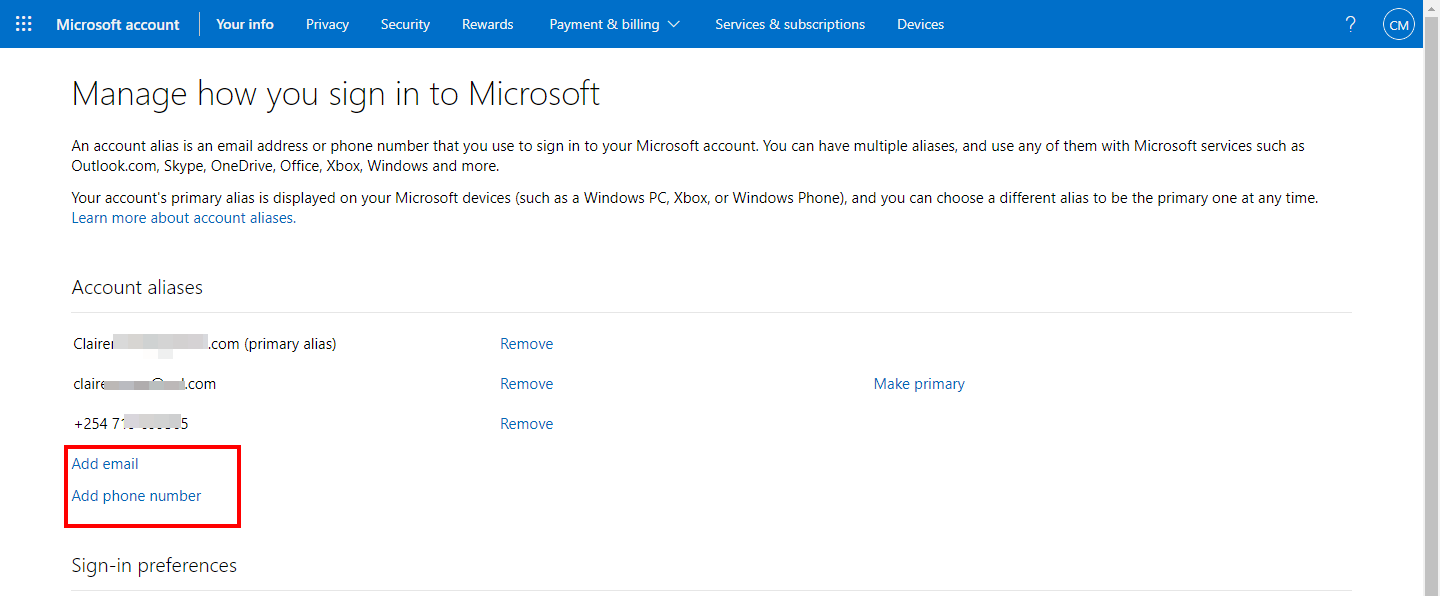
    I’d love to have an @skype.com email address since this would be like when you had an @msn one for both email and IM on Messenger and people are familiar with this idea. Now as regards the “enhanced” aliases, I kinda don’t like the idea that you can sign in with your alias since this was great for security and/or privacy issues. You had your firstname.lastname@outlook.com for personal stuff and wastingtimeonforums1234@hotmail.com for fun, and if people were to find this hotmail address, they couldn’t log in. Now, that will change. I hate when people complain about facebook changes and threat to quit, so I will accept MS changes, it’s free after all.

  • matthewthepc

    what’s a “signin name”?

  • Tom

    If you hit the alias limit, I wish microsoft would tell you when you can create a new one.