
Find Windows Phone 7 Apps with Visual Search [Updated]

We already told you that you can find and download iPhone apps via Visual Search. Now you can also find your Windows Phone 7 Apps the same way via the Bing Visual Search Gallery for Windows Phone 7 apps. If you are in the US or UK that is, else you can try it by clicking the US redirect link you get when it is not supported in your market.
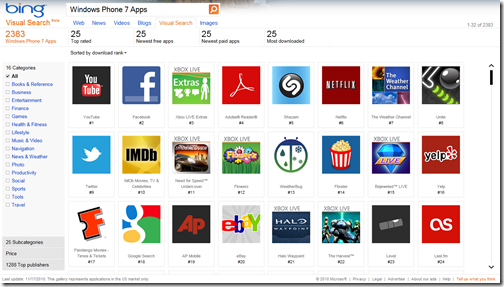
Visual Search Windows Phone 7 Apps
Just like for the iPhone apps, you are provided with several filters. Found what you are looking for? Click on the app and you will be led to the details page and a direct link to Zune Marketplace, where you can download the app to your PC and wirelessly sync to your phone via Zune.
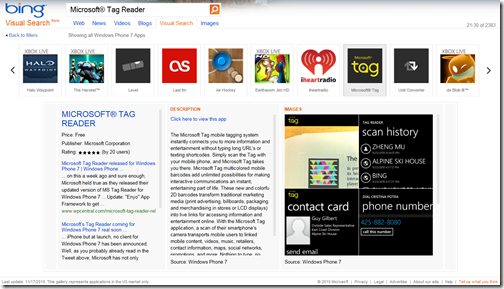
Microsoft Tag App

Why they did not integrate Microsoft Tag as they did with the Visual Search for iPhone Apps is beyond me, after all they do have Microsoft Tag Reader for Windows Phone 7….

Update: Wow yes, Microsoft must have been reading my post! They’ve integrated Microsoft Tag in Visual Search for Windows Phone 7 Apps now. Thanks Microsoft! :D

Comments

  • http://twitter.com/jimmyfal JImmy Fallon

    Is Bing visual search still in beta? I have NEVER been able to find visual search from the home page. What’s up with that?

  • http://www.LiveSide.net Kip Kniskern – LiveSide.net

    One nice thing about this Visual Search is that it gives you a count of Windows Phone apps in the marketplace (currently 2383!)
    And @JimmyFallon, agreed it’s a bit hard to find. From the home page, click on “Explore” in the top left corner, and then Visual Search (and yes it’s still in beta)

  • Anonymous

    Off topic: My Family Safety managed account doesn’t have Web Messenger. Messenger is allowed, and the program works. Is not having Web Messenger normal? If it isn’t, is there an easy way to fix it?

    Thanks.

  • Anonymous

    You might want to update the post. I just checked, and it appears that there are Microsoft Tags associated to every Windows Phone app in Visual Search.

    I wish Visual Search had a fullscreen mode, a way to expand a box (while minimizing others) so you’re not limited to viewing in a squashed section, ability to rate an item if you’re signed in, and maybe some cool infographic views of trends in every VS. Hopefully the people working on VS see this comment.

    On the WP7 marketplace side, I wish they made it easier to view all applications created by a publisher by just clicking the publisher’s name. Shouldn’t be that hard.