
More on the Bing Maps upgrade

Last week, we showed you some changes to Bing Maps, pointing out some new navigation header changes, and noting that at the time there was nothing on the Bing Maps blog to detail the changes.  That changed on Monday, and indeed the Bing Maps blog pointed out the changes we had seen, with a bit more detail.
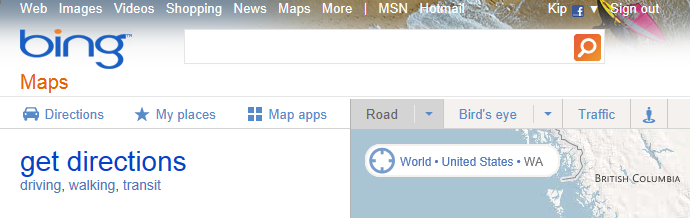
bing maps new nav

Now today, another blog post points out even more new stuff for Bing Maps, mostly in the form of refinements to features within the maps themselves.  The changes are significant enough that Bing has posted a 9 page pdf entitled “A Guide to Bing Maps: July 2011 Map Style Update”.

One of the main premises pointed out by the Style Update guide is that Bing Maps are made to have data presented on top of them:

Bing Maps are rarely seen in isolation.  In fact, roughly four out of five people who see a Bing Map on any given day will see it with data plotted on top of it (whether that data is a route, pushpins, traffic information, or something else).

The new maps, rolling out this month, show 1) Casing for all roads, 2) better differentiation of main and secondary roads, 3) New one way arrows, 4) a new deeper blue for water, especially useful for color-blind users, 5) different shades of gray for roads and buildings, and 6) more legible type:
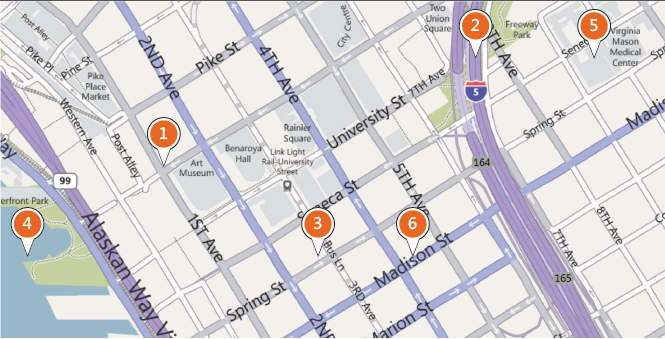
bing maps greater clarity

Here’s a side by side view of the old and new map styles showing the changes:
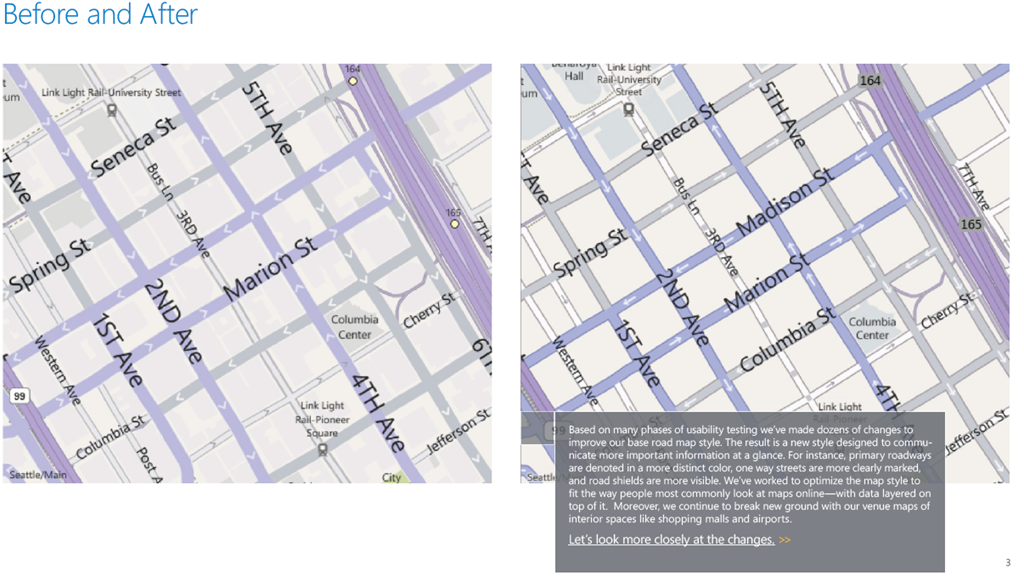
bing maps before and after

In addition, the document points out changes to “shields”, or landmark and road names, transit icons, etc.; changing data depending on which of the 18 zoom levels you’re on; scalable type for long road names; changing data based on density; country specific road shields, new styles for unpaved, park, and forest service roads, and continued emphasis on Bing features like shopping mall maps.

Comments

  • Anonymous

    I’m always happy to see changes but they change the layout of the controls way too often. First on top, then at the bottom, now back on top. AND it still isn’t very good, IMO and they haven’t find the right style they should use on the whole Bing website.

  • Anonymous

    OK! And we have been waiting far over a year for Bing Html5 to be released on Internet Explorer 9. I guess they are hoping we forgot about it.

    • Jeremy S

      Ya, a little off topic but still a good point. They make a big deal about Bing HTML5 and then nothing. I did a search to see what was going on and all I can find is old news stories from April claiming that it is “rolling out.” My guess is that when they tested to HTML5 animations, they weren’t as smooth as the “Silverlight” animations that were actually used in the demos. (sarcasm)

  • Jeremy S

    I find it funny that most of the changes are so subtle that it needs to be pointed out which is the Before and which is the After

  • GuestC

    Much better. And it also seems to be faster and smoother than than before. Good work.

  • http://macrosofter.wordpress.com/ quikboy

    Yep. Everything really seems to pop out now. It’s a bit jarring at first, after getting used to the previous one, but I suppose it is better than how the text seemed to fade too well with the previous map style.

    I still wish the road maps had as much level of detail as Google Maps does. I want to see every single business or building there is when I zoom close in. I just looked around my university, and they still haven’t plotted out the new dormitory building I stayed in last fall.

    Oh, and the new Streetside is still a mess! The new one may have extra info and a better interface, but the imagery itself is horrendous. Lots of jagged cuts where it’s very obvious they tried to blend the picture. It also really distorts the sense of depth. Two parallel streets look like they join into one in several of the intersections from the streetside. I don’t know what the team was thinking with the new release.