
Does SkyDrive’s “move” dialogue box point to future storage locations?

I was using SkyDrive earlier and decided that I should probably tidy it up now it’s so easy to move folders around following the most recent update. I went about selecting various folders that only stored photos to move them to a new folder and when I clicked “move” the dialogue box that popped up was interesting.
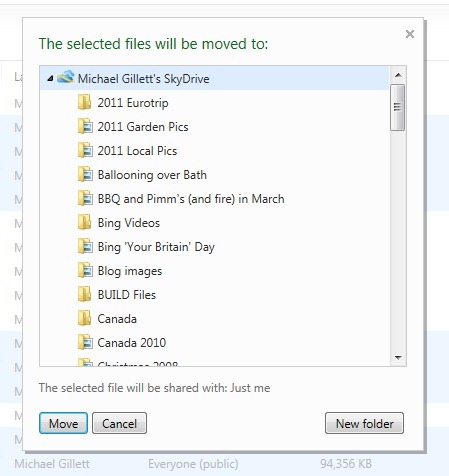
Move files, different locations 2

At first glance this image isn’t interesting. However, I wondered if there were any locations on offer other than “Michael Gillett’s SkyDrive” so I collapsed it. And was presented with the below list.
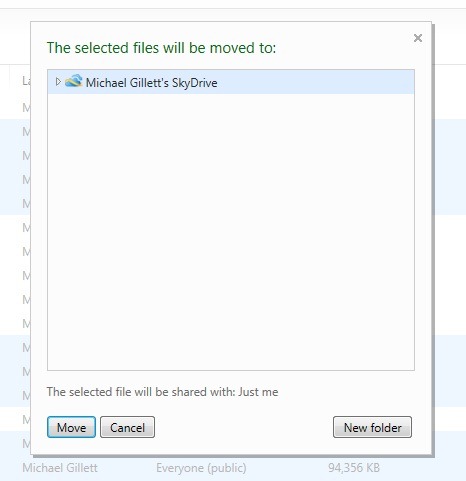
Move files, different locations 1

Again not a very interesting view, but I then asked myself why would Microsoft let me collapse “Michael Gillett’s SkyDrive” if that is the only place I can store things. This has got me wondering if there will, at some point in the future, be other places that users can move and indeed store files and folders.

I wonder, for example, if users will be able to store items on other users’ SkyDrives. It doesn’t make a huge amount of sense but I don’t see the need for name to be included next to SkyDrive otherwise. What I expect is more likely though is that users will be able to choose devices, I expect Windows 8 to begin with, to store files and folders too. This would be great. I also wonder if users will be able to browse the files and folders on devices just as they can browse them currently on SkyDrive and move things seamlessly between SkyDrive and any of their devices.

This perhaps becomes more interesting when we consider that Windows Phone 8 might run on Windows 8 and so too the next Xbox. If SkyDrive is to be integrated into Windows 8 then SkyDrive (in the browser) could allow a user to manage all their files and folders on any of their devices from a single location. That would be excellent.

My only doubt with this train of thought is that I’m not entirely sure where Mesh fits in. What are your thoughts on this? I fear I might be reading far too much in to this but I do wonder why I can collapse “Michael Gillett’s SkyDrive” if it is the only place I can save things.


  • Anonymous

    I realize this is a bit off-topic, but your mention of Live Mesh got me thinking about its future. It irritates me that Mesh, once a forward-looking Tech Preview, has become the red-headed stepchild of Live services. Month-after-month, while SkyDrive gets updated, Mesh is never touched. I was extremely disappointed to find that the new SkyDrive app for Windows Phone doesn’t support the Mesh side of SkyDrive, making it nothing more than a complete duplication of what is already built into the OS, aside from a “create a new folder” option. Very disappointing. Mesh support in the Windows Phone browser is horrid, yet there is no better other option despite the otherwise-amazing support for SkyDrive on Windows Phone (and iOS).

  • http://doctorwhofan98.wordpress.com/ doctorwhofan98

    I really, really, really hope Mesh gets properly integrated with SkyDrive in the Wave 5 M3 update. It would be amazing to have a folder in SkyDrive and have it synced across all my devices, with a “Syncing” option in the sidebar. It would be great to be able to edit the files in Office Web Apps, and have the changes synced down to my PCs.

    But will it ever happen?? Probably not. :(

    • Anonymous

      Me too, but I’ve been waiting over 3 years for that. Probably longer.

      All I really want is to be able to upload files back into the Live Mesh side from the web, like you could with the old Live Mesh Tech Preview “Live Desktop”. I asked @SkyDrive for it when they did that Q&A on Twitter a few weeks ago and was basically told that they understand why it would be desired, but that they couldn’t promise anything. I’m not really asking for anything big in terms of investing programming resources, but it would be a huge help when I want to edit a file on my Windows Phone or a computer that I don’t own (which wouldn’t be syncing to my Live Mesh account) to not have to:
      1. Upload it to the other half of SkyDrive
      2. When I get home, download it to the synced Mesh folder on my PC
      3. Delete the original file

      It’s cumbersome, and there’s no reason that it should be that difficult to use the synced SkyDrive on Windows Phone.

  • Anonymous

    I thought this was a news site :-)

    Seriously…I think it would be more interesting if other options on there were things like Dropbox, Box.net and/or Office365 Sharepoint. Given that Windows Live is heavily into partnering these days it wouldn’t surprise me if that were being considered, especially as allowing federated storage partners was being considered in a very early incarnation of Mesh (Oran Dennison mentions it here : http://orand.blogspot.com/2009/04/quest-for-raw-feeds-in-live-framework.html )

  • Anurag Kalia

    i tried it again (i also just finished yesterday all the sortings and archiving… oh i wish moving comes to root documents too!) but it feels natural that skydrive is shown that way. it drives home the point that all folders belong to skydrive. Though, your speculation is actually brilliant and made me start wondering too, one cannot deny the power of familiar tree structure in an unknown domain (for new users).

  • http://twitter.com/TheNetAvenger The Net Avenger

    Simple guess… Think Mesh Sync, where you can keep files on ‘specific’ PCs, and/or SkyDrive.

    I would imagine that the PCs in the Sync relationship will probably appear as other locations, as they are available now, but only through the Mesh interface.  With the way Windows 8 works, this seems the most likely…